Visuals Rob Run External: License Keys, Download & Setup
Find Visuals Rob Run External license durations, automatic key delivery, the loader download, setup instructions and help with order or compatibility questions.
Visuals Rob Run External is available from NFAccount with five license durations and automatic delivery of stocked keys. This guide explains the purchase options, where to find the download and which details to check before starting.
Choose the duration shown on the product page
The NFAccount listing offers 1 Day, 3 Days, 7 Days, 1 Month and Lifetime variants. The selected variant determines the price and the type of license key delivered. Check the variant name before completing an order, particularly when comparing a short access period with a longer plan.
Prices and stock are shown on the live listing. The current regular prices are $3 for 1 Day, $6 for 3 Days, $9 for 7 Days, $15 for 1 Month and $60 for Lifetime. Check checkout for any applicable promotion and the final total. The Lifetime label is the provider’s plan name; ask support about its precise terms if you need clarification.
How automatic key delivery works
After a successful payment, NFAccount delivers a license key from the stock assigned to the selected variant. Your order page contains the delivered item and the product’s delivery message, with download and setup links. Keep the order reference so support can locate the purchase if a question arises.
A license key and a configuration-sharing ID are different things. The license provides product access. A cloud profile ID refers to a saved configuration and does not replace the license delivered with your order.
Download and setup resources
Use the links supplied in the order and follow the current instructions in their stated sequence. The download is a separate resource from the feature overview, so reading a blog post does not replace the setup guide. If the supplied instructions or download change, use the latest information attached to the product and contact support when something is unclear.
Compatibility questions to resolve before use
The feature list describes display, aim and profile controls, but it does not by itself establish support for every Windows build or hardware configuration. For a compatibility question, provide your Windows version, relevant hardware details and the exact message shown by the product. This gives support a concrete starting point.
For delivery questions, include the order reference and selected license duration. Keep the full license key private when posting screenshots in public channels. If the key has not appeared after payment completes, check the order page before requesting help.
Explore the feature groups
Visuals includes player ESP, loot and container filters, vehicle and exit markers, radar, configurable aim controls and saved profiles. The Visuals feature overview explains these groups. For label colors, loot filters and profile differences, read the ESP and radar customization article.
View Visuals Rob Run External license options and availability.
Gameplay screenshot
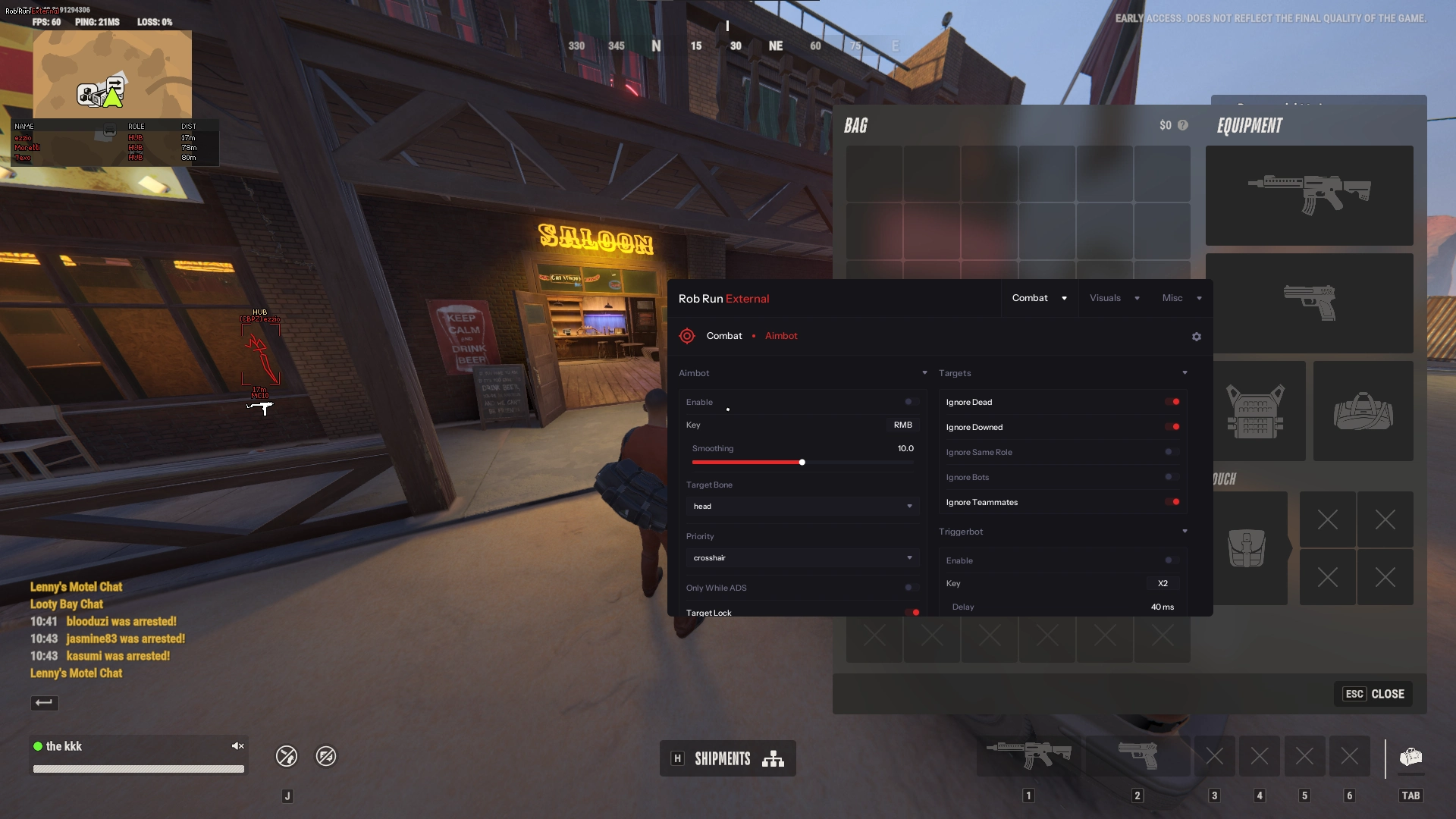
Customer-supplied Rob Run screenshot showing the on-screen interface and player visuals.
Published at Nov 20, 2026