Visuals Rob Run External: ESP, Aimbot & Feature Overview
Explore Visuals Rob Run External at NFAccount: player ESP, aim controls, loot filters, radar, profiles and five license options, with real gameplay imagery.
Visuals Rob Run External is now available at NFAccount with player ESP, configurable aim controls, world loot information, vehicle markers and radar. This overview breaks down the published feature list so you can understand what is included before choosing a license.
View Visuals Rob Run External and current availability.
Player ESP and wallhack display options
The player visuals section lists full and corner boxes, optional box fill, skeletons and head circles. Labels can show names, faction, distance, equipped weapons and equipment icons. Health and armor details are available as bars or numbers, with gradient, damage-trail and downed-player indicators.
Display controls are separate from the information itself. Label sizes, background panels, faction colors and visibility colors let you adjust how much appears on screen. The published player render-distance range is 50–1,000 metres, while model-highlighting materials have their own range and style settings. These ranges describe available controls rather than measured performance on every system.
Aimbot and target selection
The aim section includes primary and secondary keybinds, hitbox selection and target priority. The listed priority choices are closest to the crosshair, distance and exposed hitboxes. Other entries include silent aim, prediction, recoil compensation, spread controls, smoothing, target lock and switching delay.
Faction filters, visibility checks, teammate filtering and downed-player filtering provide additional ways to define which targets are considered. The selection radius and maximum distance are independently adjustable. Review the current product listing for the complete set of settings rather than assuming that every Rob Run product has the same options.
World loot, containers and vehicle markers
- Loot information: item icons, values, minimum-price controls, rarity filters and category colors.
- Containers: separate filters for ATMs, safes, cash registers, cabinets, crates and other listed categories.
- Vehicles: markers, police-only filtering and spotted-passenger labels.
- Exits: boundary visuals with adjustable marker color and size.
Item labels offer capsule, text, diamond and classic styles. Container visibility and empty-container filtering are managed separately from loose item categories, which makes the distinction useful when comparing the feature list.
Radar, profiles and interface
Radar options include distance rings, faction-colored player markers, adjustable size and zoom, and a draggable position. Direction indicators, nearby-enemy alerts and look-at-you alerts appear as separate controls. The interface also includes a configurable crosshair, status panel and built-in or custom profiles.
Local profiles and cloud configuration sharing are different features. Cloud sharing requires a valid license and uses a configuration ID; personal menu settings, the panic key and radar position remain local.
Available license durations
NFAccount lists 1 Day, 3 Days, 7 Days, 1 Month and Lifetime variants. Each uses automatic delivery from the shop’s stocked license keys. Check the product page for the selected duration, price and availability.
Read the ESP, loot and radar customization guide for a closer look at display settings, or the license and setup guide for order information.
Gameplay screenshot
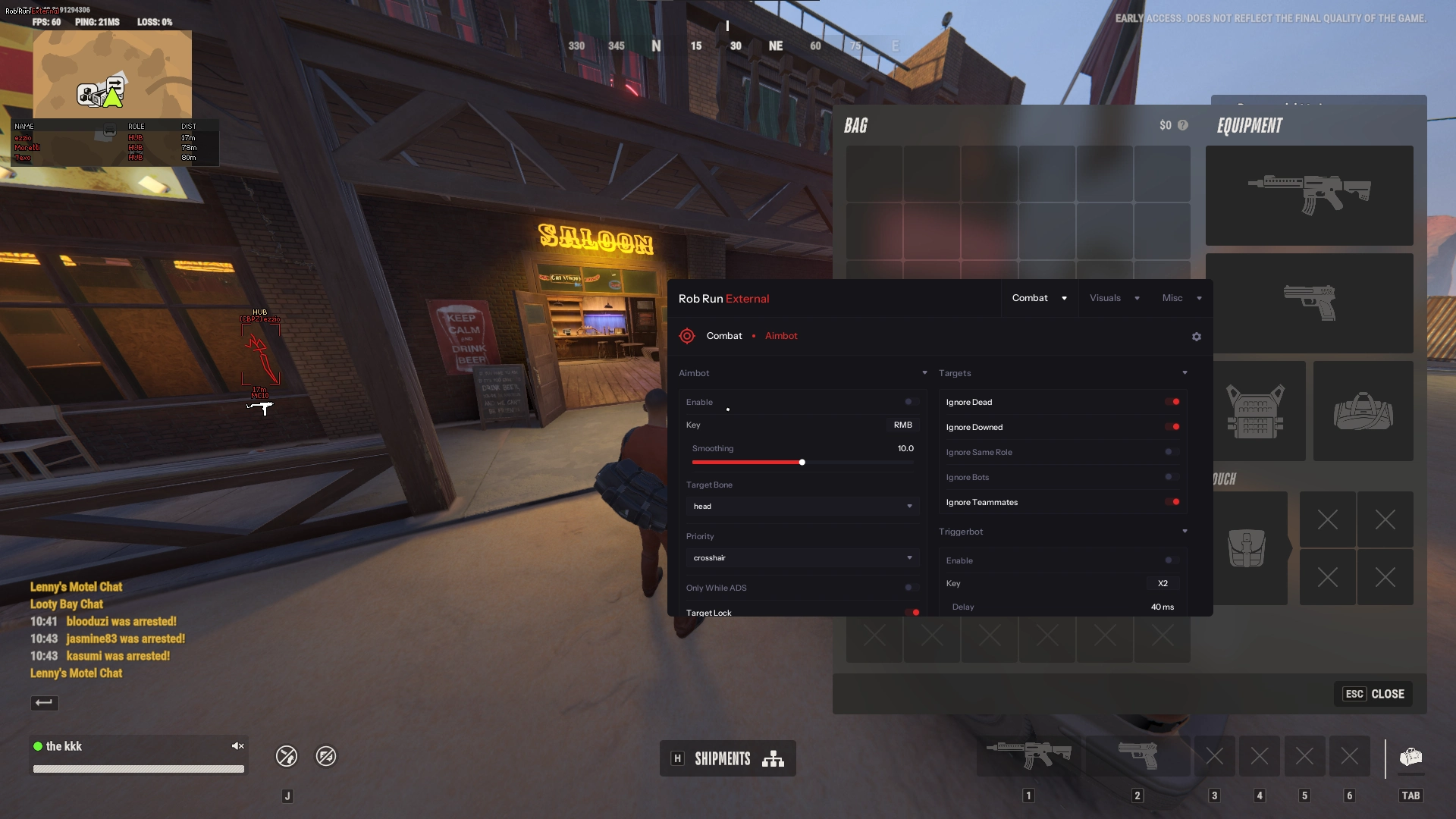
Customer-supplied Rob Run screenshot showing the on-screen interface and player visuals.
Published at Nov 20, 2026