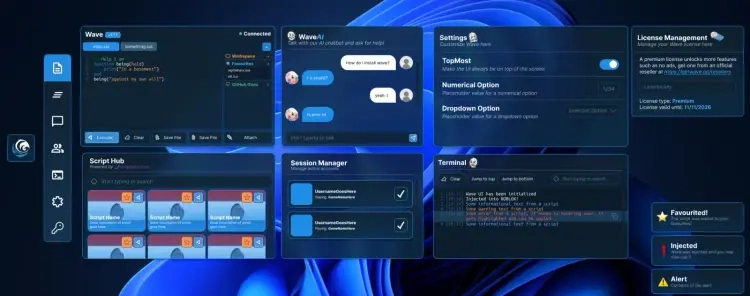
Wave Executor Windows
UNDETECTEDGeneral Information
- Game: Roblox
- Access options: 30 Days
- Delivery: Automatic license key
Executor Workspace
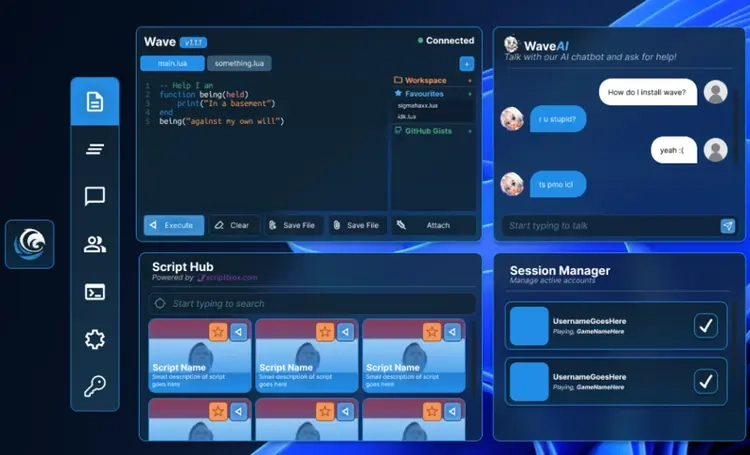
- Roblox Luau script execution environment
- Tabbed editor with file actions and output view
- Wave AI, decompiler and Drawing API
- Client selection and multi-client controls
Access
- Windows desktop client
- 30-day license only
- Updates included while the license is active
Requirements
- Platform: Windows desktop
- License: 30 Days
Wave Executor Windows — Setup Guide
Set up the Windows edition of Wave, activate the 30-day plan, and use the client workspace.
Open the full NFAccount guide · Download loader · NFAccount support
1. Use the Windows edition
Your NFAccount listing is the Windows version of Wave with a 30-day license. It does not include a Mac-specific installer or Mac setup instructions.
Use the official Wave website through the download button on this page to obtain the current Windows client. Keep Roblox and Wave updated together.
2. Install and activate Wave
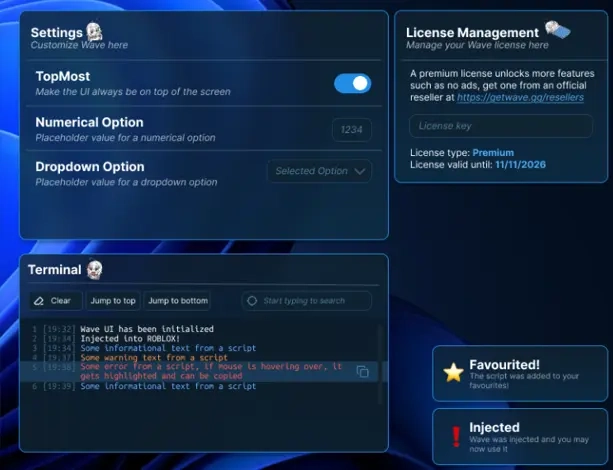
Follow the Windows installer or client prompts from the official download. Open Wave and use its licensing prompt to activate the key delivered with your NFAccount order.
If the interface requests an account, follow the current in-client account flow. Do not enter the license into unrelated websites or share it with another user.
3. Select the Roblox client
Open Roblox, join the experience you intend to use, and select the running client through Wave’s client or attach controls.
If more than one Roblox client is open, confirm which one you selected before attaching. A license acceptance message does not by itself mean the client is attached.
4. Use the editor and output
Open or create a workspace tab, load your script into the editor, and review it before execution. Use scripts from sources you trust.
Execute against the selected client and inspect the output panel for errors. Save workspace files separately so a client reinstall does not remove your own work.
Script compatibility varies with the script and current client build. The official API reference is available at Wave API documentation for supported API behavior.
5. Activation or attach problems
Check whether the issue is license activation, client selection, or a script error. Restart Wave and Roblox after updating both if their versions differ.
Contact NFAccount support with the order ID, Wave version, and exact message. Do not send private scripts or the full license key in a public support channel.
NFA / PRODUCT GUIDE
Wave Executor Windows: Features, Plans and Support
Use this NFA guide to compare the listing's features, system requirements and access options. Wave Executor Windows has its own product description; the features and delivery instructions for another listing should not be assumed to apply.
Read the exact feature list
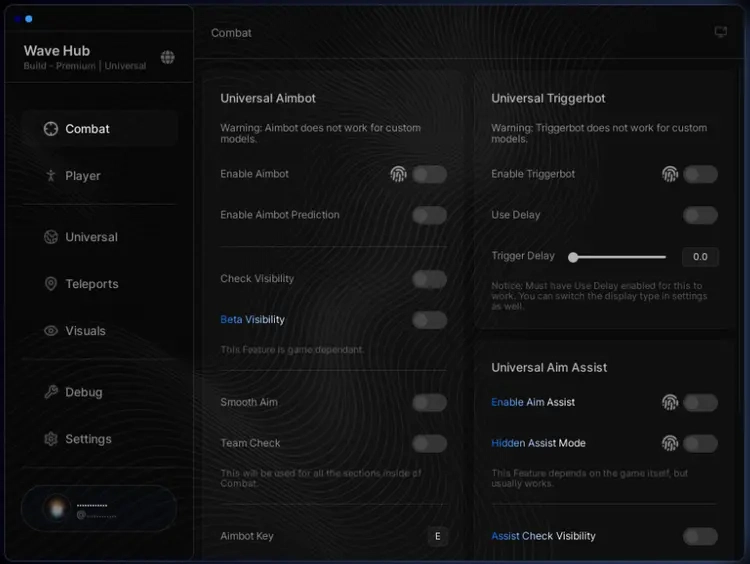
NFA's software catalog includes different games, providers and tool types. Read this product's feature description and screenshots to see what is listed for the current item. Visual options, aim settings, resource information and configuration controls vary between products. A product name alone does not establish that every feature found elsewhere is included.
Compare the system requirements
Check the supported operating system, processor, display mode and any USB or other prerequisites. Product-specific instructions take priority over assumptions from an older Rust, CS2 or other game listing. If a requirement is unclear, ask NFA before ordering so that you can confirm whether the published setup matches your computer.
Daily, weekly and monthly access
Available plans are shown in the variant picker. Some products use different periods or offer additional options; only the variants listed on this page are available for this purchase. Compare the full price for your chosen duration and review any activation or access conditions. Check the final checkout total and selected variant before payment.
Product status and updates
Review the current product status before buying and use the NFA status page to compare listings. A status label is a published product update, not a guarantee of future compatibility or freedom from restrictions. Game updates can affect availability. Contact support for clarification if the current information does not answer your question.
Delivery and support
After payment, consult the order page and delivery email for the key or instructions supplied with your purchase. Follow the guide for this exact product and plan. Keep your order reference when requesting help through NFA's support link, and do not post delivered keys, account details or payment information publicly.
Wave Executor Windows — purchasing FAQ
Does every NFA software product include the same features?
No. Read the description of the selected product. Features differ between games, providers and tool types.
Where can I see current plans and access periods?
Use the variant picker on this page for the durations, prices and availability currently offered.
Is a product status label a permanent guarantee?
No. It describes the published current status. Compatibility and availability can change after updates.
How do I receive the product after payment?
Check the completed order page and order email for the delivered key, access information and product-specific instructions.
Where can I get help with my order?
Use NFA's support link with your order reference and product name. Keep delivered keys and account details private.