Raven Rob Run External
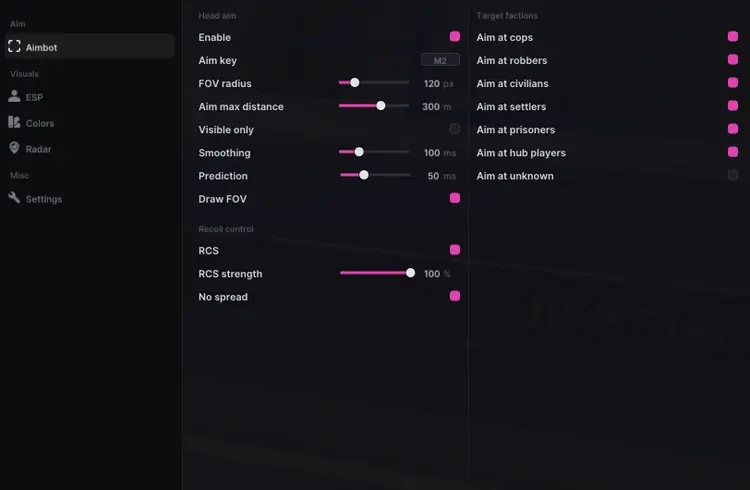
Aimbot
- Head aim, aim key, FOV, distance, visibility checks, smoothing and prediction.
- Target faction selection, recoil control with adjustable strength and no spread.
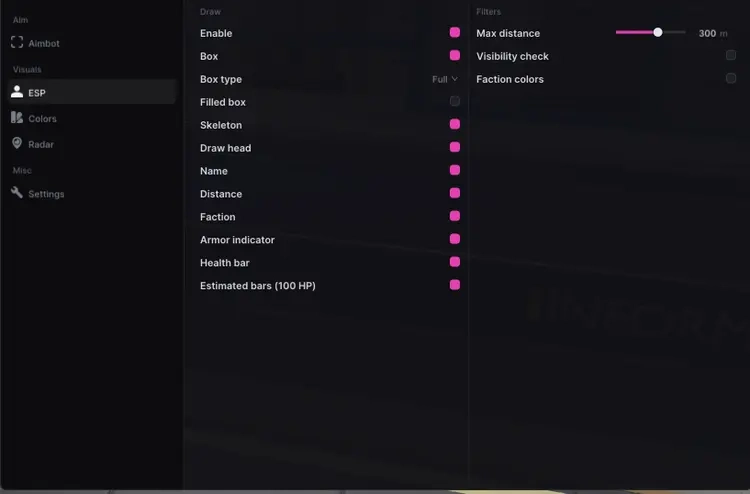
Player ESP
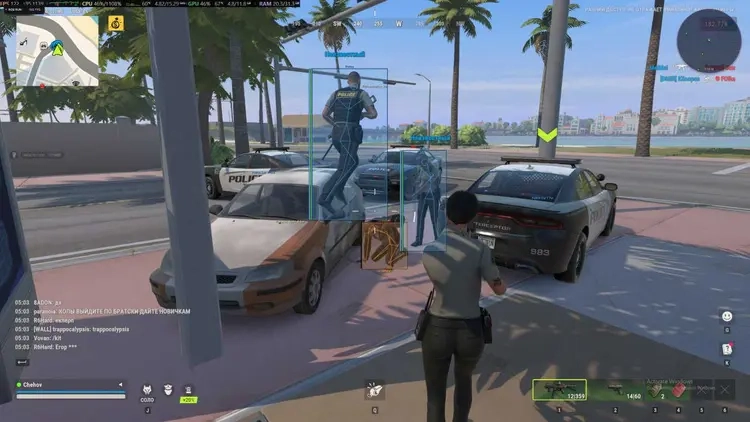
- Full, corner and filled boxes with opacity control.
- Skeletons, head markers, names, distance and faction.
- Health and armor bars, downed indicators, visibility checks and faction colors.
- Configurable maximum distance.
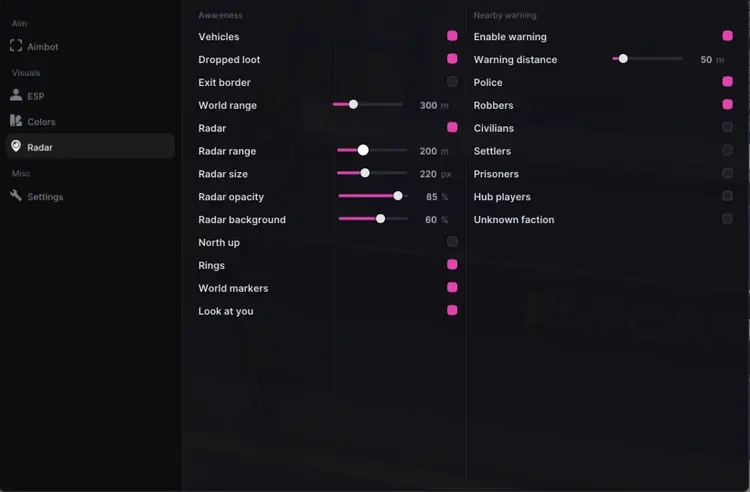
Radar & Awareness
- Player radar with range, size, opacity, background, north-up mode, rings and world markers.
- Nearby player warnings with distance and faction filters.
- Look-at-you indicators.
World Visuals
- Vehicle ESP with police vehicle identification.
- Dropped loot and exit border ESP with world distance controls.
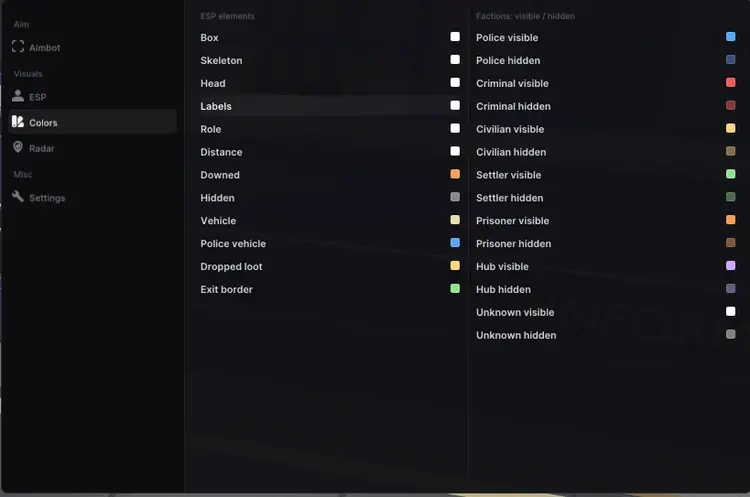
Customization
- ESP element colors and separate visible/hidden faction colors.
- Language, menu scale, overlay FPS and watermark options.
NFACCOUNT / PRODUCT DETAILS
Raven Rob Run External: Features and access plans
Raven Rob Run External brings together player ESP, radar and nearby-player warnings. Compare the highlighted controls below with the full feature list above to see which settings belong to this edition. The product screenshots show its interface and visual options; the written listing identifies the features included.
Product highlights
- Health, armor, faction and downed-player indicators
- Radar range, opacity and north-up settings
- Nearby-player and look-at-you indicators
The full feature list and screenshots describe this edition. Compare its display options, input controls and system requirements with the other products for the same game. Features and support may differ even when the provider name is the same.
Available access plans
- 1 Day
- 7 Days
- 30 Days
Use the purchase options above for current prices and availability. Compare the selected duration or tier, currency and quantity before checkout. A starting price refers to a particular option, so compare matching plans.
Delivery and product support
After payment, the completed order page contains the delivery details for your purchase. Follow the guide attached to that product. For help, contact NFAccount with the product name and order reference.