Mason External CS2
UNDETECTEDGeneral Information
- Supported game version: Steam
- Supported game mode: Windowed / Borderless fullscreen / Fullscreen
- Supported Windows OS: Windows 10 & 11 x64
- Supported anti-cheats: Valve Anti-Cheat
- Supported processors: Intel and AMD
- Video or screenshot invisibility support: No
Aimbot & Weapon
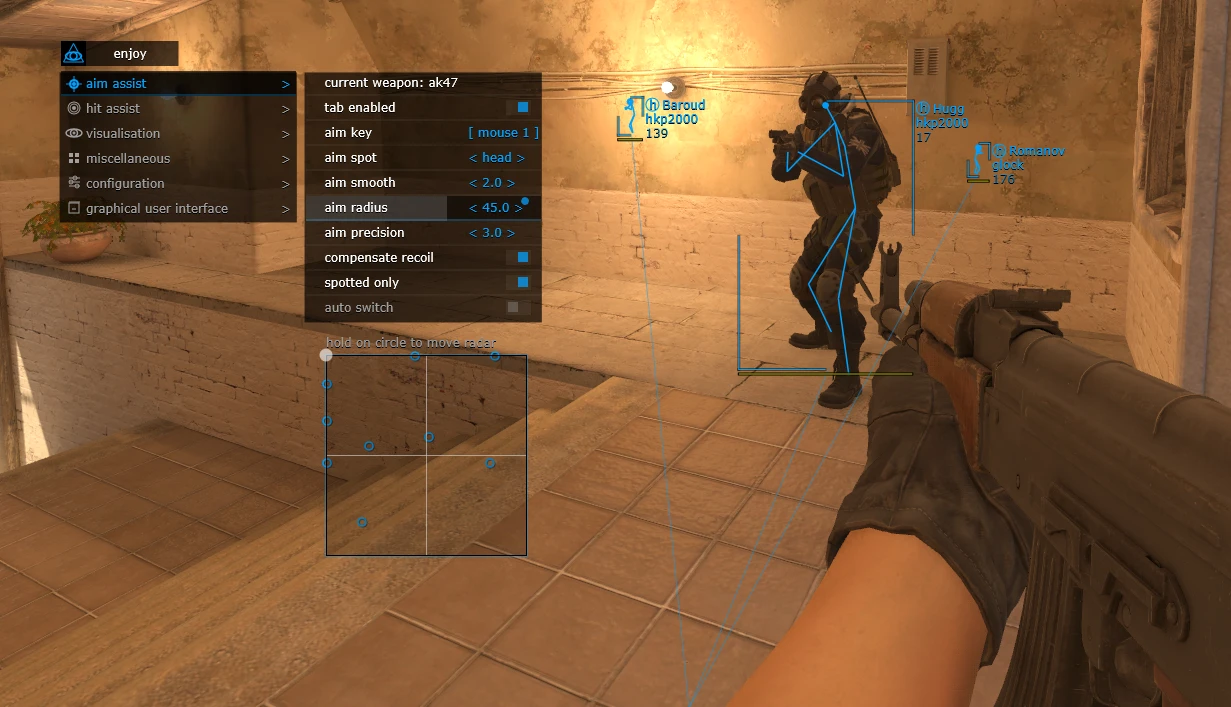
- Current weapon / Settings for the selected weapon
- Tab enable / Enable aimbot
- Aim key / Set the key for aimbot operation. To use the aimbot, the selected key must be pressed and held.
- Aim spot / Set the body part for the aimbot to target
- Aim smooth / Set the smoothness of the aimbot aiming
- Aim radius / Set the operating radius of the aimbot
- Aim precision / Set the aiming precision of the aimbot
- Compensate recoil / Enable weapon recoil compensation while the aimbot function is active
- Spotted only / Set the aimbot to work only on enemies visible on the radar
- Auto switch / Automatically switch targets after killing the current target
- RCS threshold / Allows adjustment of the level of recoil compensation by the aimbot
- Trigger delay / Allows adjustment of the delay before the triggerbot activates
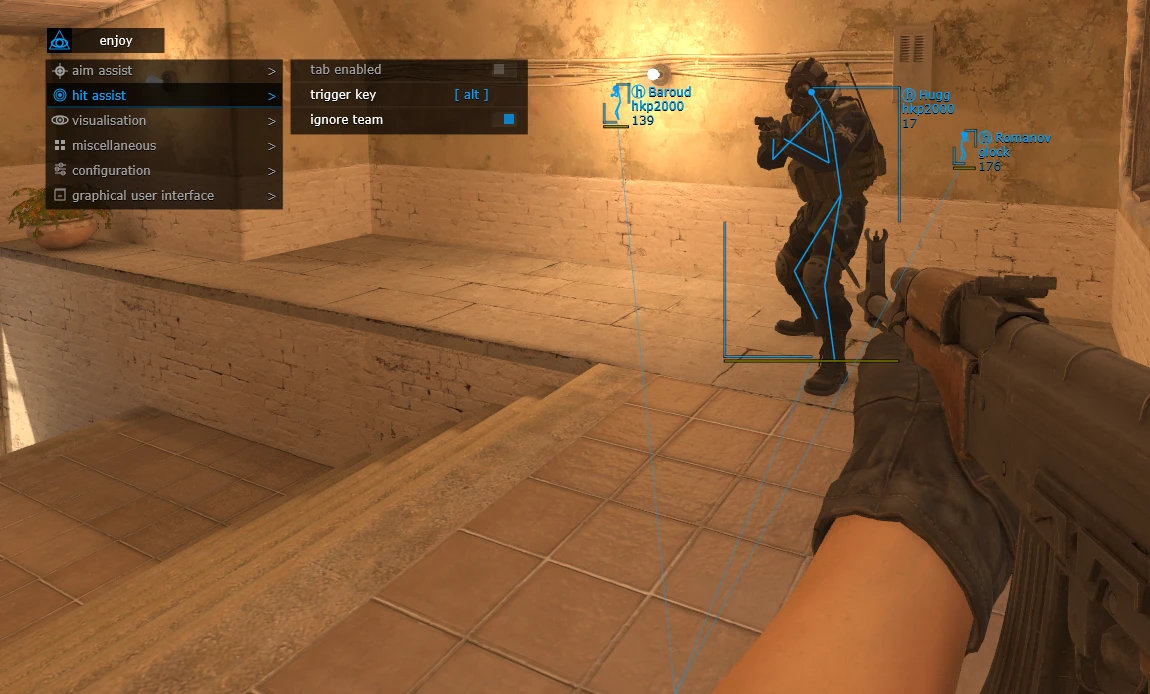
- Tab enable / Enable triggerbot- Trigger key / Set the key for triggerbot operation
- Ignore team / Enable the triggerbot to ignore your own team
Visuals
- Tab enable / Enable visual functions
- Show bounding box / Display a 2D box around players
- Show skeleton / Display player skeletons
- Show snaplines / Display lines to players
- Show player weapon / Display players’ weapons
- Show player health / Display opponents’ health
- Show player name / Display players’ nicknames
- Show player equipment / Display opponents’ equipment
- Show planted C4 / Display the location of the planted C4 and the time until explosion
- Show distance / Display the distance to opponents
- Ignore team / Enable ignoring your own team
- Ignore spotted / Enable ignoring “visible” players
Configuration
- Save CPU / Save processor resources
- Load config from clipboard / Load a saved settings configuration
- Save config to clipboard / Save the selected settings to the clipboard
Gui
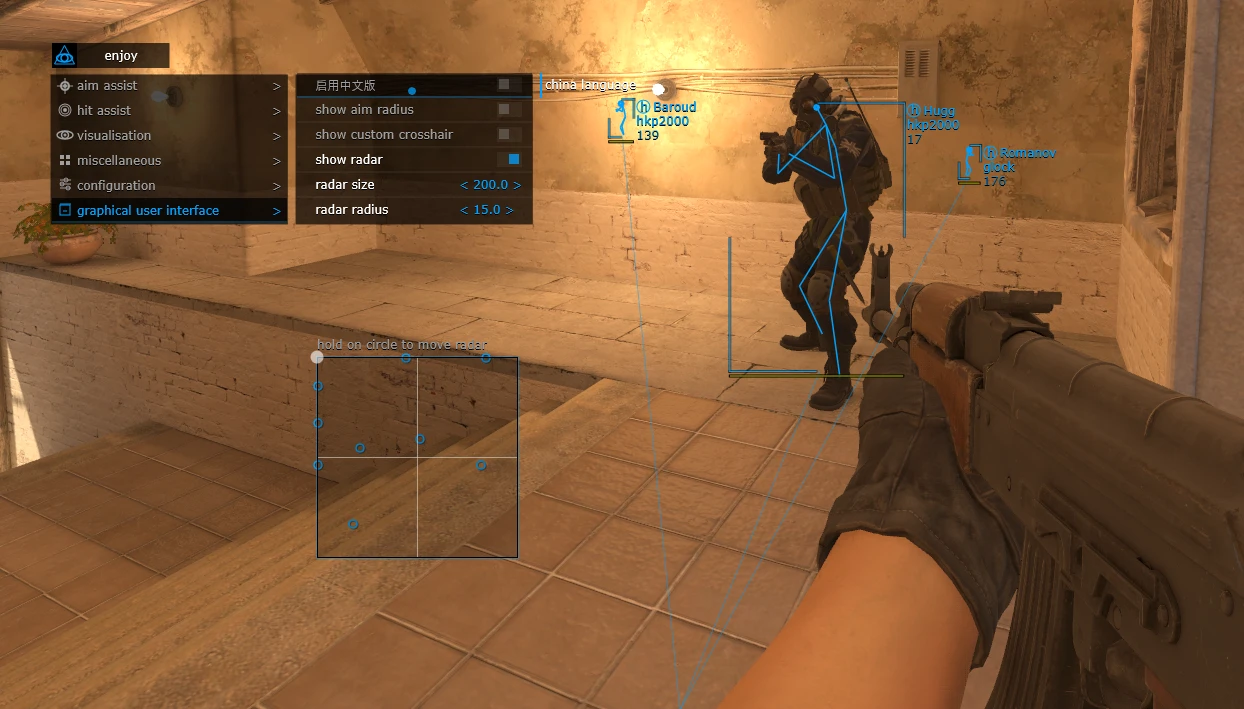
- Gui Menu language selection / Select menu language. Available languages: English / Chinese
- Show aim radius / Display the aimbot operating radius
- Show custom crosshair / Display a crosshair in the center of your screen
- Show radar / Enable radar. To move the radar on the screen, hover the mouse pointer over the radar, hold the left mouse button, and drag it.
- Radar size / Set the radar size
- Radar radius / Set the radar radius
- The program’s functionality may be changed at any time at the developer’s discretion, but we always try to keep the information up to date.