Fecurity MW4
UNDETECTEDGeneral Information
- Game: Call of Duty MW4
- Access options: 1 Day / 3 Days / 7 Days / 30 Days / 90 Days
- Delivery: Automatic license key
Aimbot & Weapon
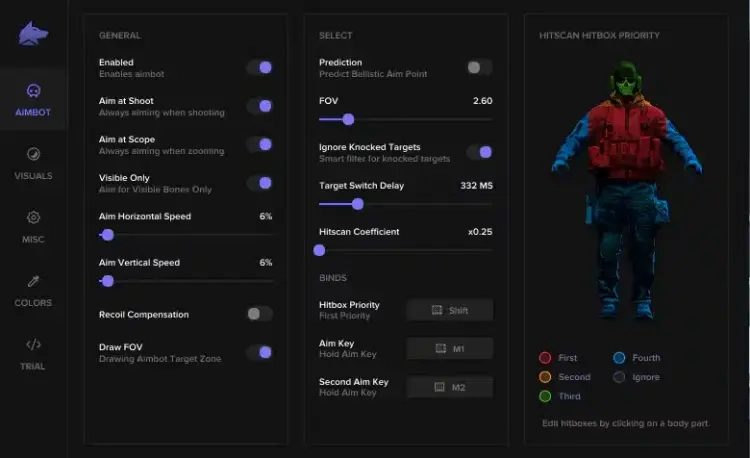
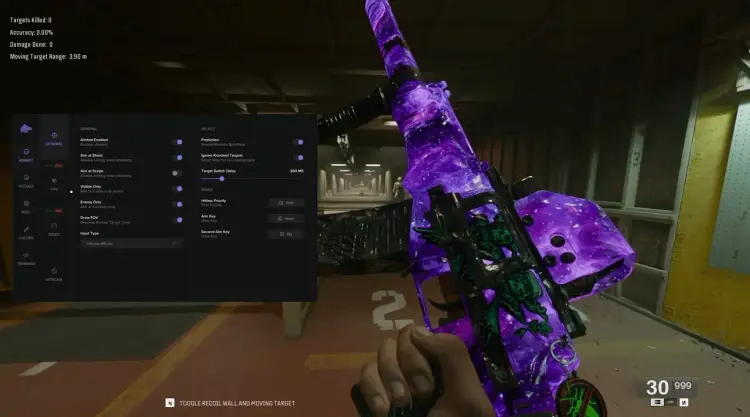
- Aim on shoot or scope, visibility checks and prediction
- Easy and graph-based advanced aim modes
- FOV, aim speed and target-switch delay controls
- Gamepad support and recoil control
Player Visuals
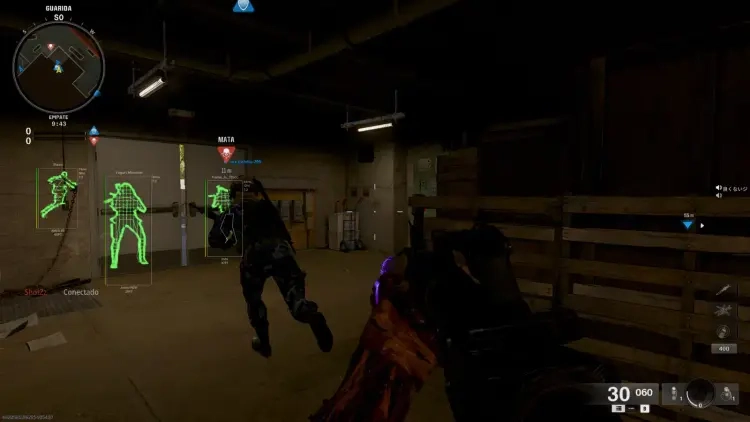
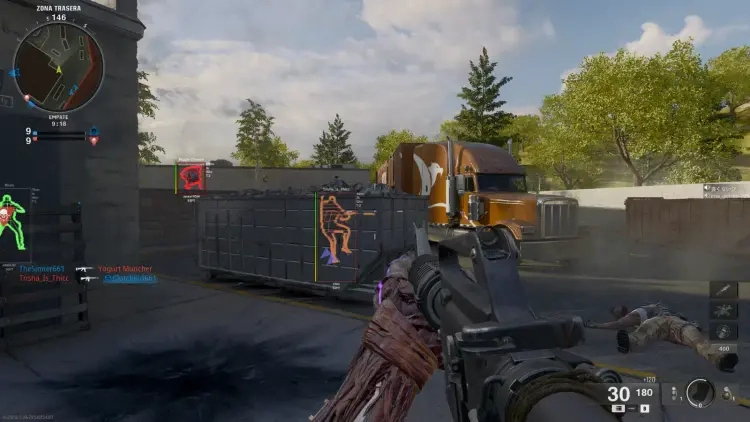
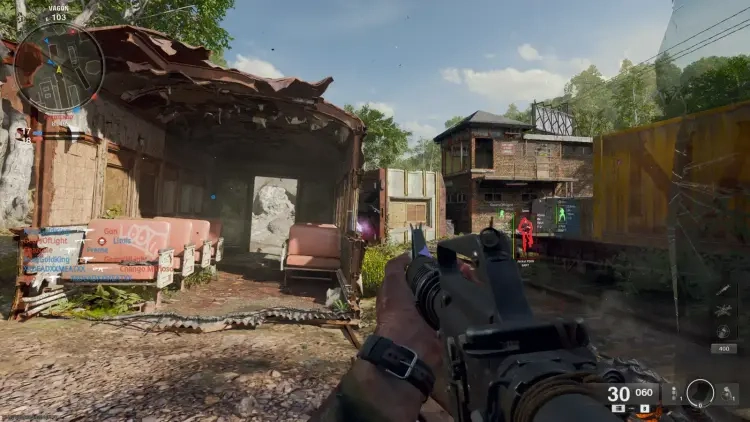
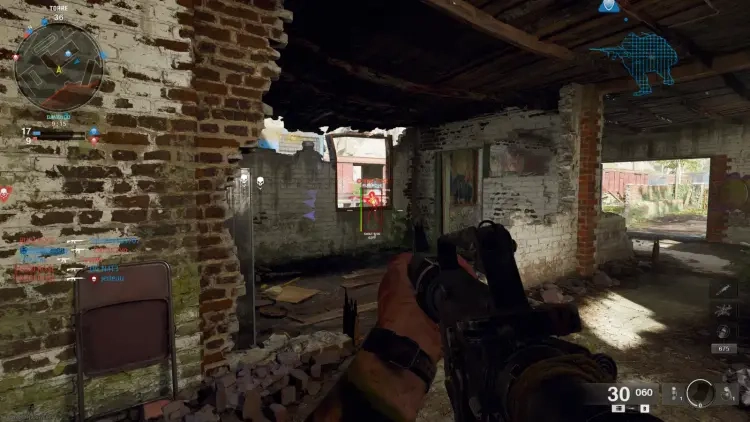
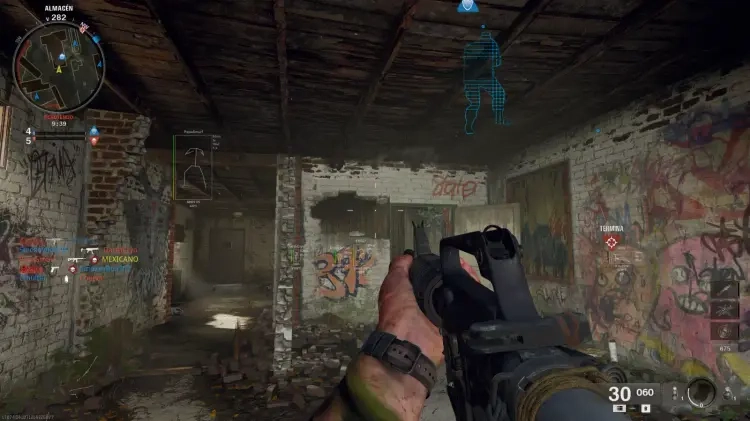
- Boxes, skeletons, health and shield indicators
- Player names, distance, weapons and match information
- Out-of-view indicators and visibility-aware glow
Loot & Customisation
- Loot categories, distance labels, colours and icons
- Glow thickness and fill controls
- Custom keybinds, clan tag and distance units
Requirements
- Operating system: Windows 10 / Windows 11 — check the setup guide for exact builds
- Processor: Intel / AMD
- See Setup Guide for launch order and product-specific requirements
Fecurity MW4 — Setup Guide
Set up Fecurity MW4, activate your license, and follow the correct initialization and game launch order.
Open the full NFAccount guide · Download loader · NFAccount support
1. Check compatibility
Use a supported Windows 10 or Windows 11 installation with an Intel or AMD processor. This release supports the Steam and Battle.net versions of the game.
Fecurity uses UEFI firmware and hardware virtualization. Check the current loader requirements before starting; this release lists Secure Boot off as a prerequisite. If you need help with firmware settings, contact NFAccount support with your motherboard model.
Install the current Microsoft Visual C++ runtime and DirectX components if they are missing. Fecurity does not include an HWID spoofer.
2. Download and activate
Close the game and its launcher. Use the Download loader button on this page and place the current launcher in an empty folder on a local drive.
Open the launcher as administrator and enter the Fecurity license delivered with your NFAccount order. Keep the key private and check that the license is accepted before continuing.
3. Initialize before opening the game
Start initialization in the loader and allow it to complete. The loader can restart the computer automatically during this stage, so save other work first.
After initialization and any required restart, open the supported game through Steam or Battle.net. Follow the on-screen loader instructions for opening the interface; the current supplier instructions do not specify a universal menu hotkey.
If you already use a separate compatible spoofer, the documented order is Fecurity initialization first, then the separate spoofer. Check compatibility with support before combining them.
4. If initialization fails
Confirm the Windows build, UEFI mode, and virtualization status rather than repeatedly restarting the loader. Use a fresh copy from the download button if the launcher is outdated.
Send NFAccount support the exact message, your Windows build, and whether you use Steam or Battle.net. Include the order ID, but never post your license in a public channel.
NFA / PRODUCT GUIDE
Fecurity MW4: Features, Plans and Support
Use this NFA guide to compare the listing's features, system requirements and access options. Fecurity MW4 has its own product description; the features and delivery instructions for another listing should not be assumed to apply.
Read the exact feature list
NFA's software catalog includes different games, providers and tool types. Read this product's feature description and screenshots to see what is listed for the current item. Visual options, aim settings, resource information and configuration controls vary between products. A product name alone does not establish that every feature found elsewhere is included.
Compare the system requirements
Check the supported operating system, processor, display mode and any USB or other prerequisites. Product-specific instructions take priority over assumptions from an older Rust, CS2 or other game listing. If a requirement is unclear, ask NFA before ordering so that you can confirm whether the published setup matches your computer.
Daily, weekly and monthly access
Available plans are shown in the variant picker. Some products use different periods or offer additional options; only the variants listed on this page are available for this purchase. Compare the full price for your chosen duration and review any activation or access conditions. Check the final checkout total and selected variant before payment.
Product status and updates
Review the current product status before buying and use the NFA status page to compare listings. A status label is a published product update, not a guarantee of future compatibility or freedom from restrictions. Game updates can affect availability. Contact support for clarification if the current information does not answer your question.
Delivery and support
After payment, consult the order page and delivery email for the key or instructions supplied with your purchase. Follow the guide for this exact product and plan. Keep your order reference when requesting help through NFA's support link, and do not post delivered keys, account details or payment information publicly.
Fecurity MW4 — purchasing FAQ
Does every NFA software product include the same features?
No. Read the description of the selected product. Features differ between games, providers and tool types.
Where can I see current plans and access periods?
Use the variant picker on this page for the durations, prices and availability currently offered.
Is a product status label a permanent guarantee?
No. It describes the published current status. Compatibility and availability can change after updates.
How do I receive the product after payment?
Check the completed order page and order email for the delivered key, access information and product-specific instructions.
Where can I get help with my order?
Use NFA's support link with your order reference and product name. Keep delivered keys and account details private.